Craigslist UX Study
A UX research and redesign study focused on improving Craigslist’s location-based product discovery by making filters easier to find, faster to use, and more intuitive for both new and existing users.
Overview
Craigslist is widely used for buying, selling, housing, and local services, but its interface remains text-heavy and visually outdated. Our study focused on one practical task: helping users find products based on location more efficiently.
My role
- UX research + usability analysis
- Interface evaluation and problem framing
- Redesign ideation and visual hierarchy improvements
- Comparative study synthesis and result presentation
Team
- Harsh Boken
- Amitoj Singh Sareen
- Xifan Jin
Focus
Improving the discoverability and usability of Craigslist’s location filter while reducing the time users need to complete location-based search tasks.
What users were struggling with
- Text-heavy pages with very little visual hierarchy
- Important tools and filters were hard to find quickly
- Navigation felt crowded and unstructured for new users
- Location-based searching felt hidden and inefficient
- Pages looked outdated and less trustworthy to some users
Research findings
Users appreciated Craigslist’s simplicity and straightforward functionality, but repeatedly described the interface as messy, visually outdated, and harder to trust or scan compared to modern marketplaces.
Target audience
- 18–25: high school students, new users, housing seekers
- 26–49: users buying and selling items or services
- 50+: homeowners renting out properties and practical users
Questionnaire themes
- Satisfaction with Craigslist’s aesthetics
- Ease of finding sections on the homepage
- Buying/selling pain points
- Problems using the desktop and mobile website
Pre-test questions
- How often do you use Craigslist?
- What other similar products do you use?
- What device do you normally use for Craigslist?
- Do you use a trackpad or mouse?
- How comfortable are you with location-based product search?
Post-test questions
- Satisfaction finding the location filter (1–5)
- Satisfaction changing the location radius (1–5)
- Likelihood of using the feature in future (1–5)
- Perceived difference compared to similar apps/websites
Hypothesis
Users will set up the location filter faster and more easily in the redesigned Craigslist interface compared to the current one.
Null hypothesis: there will be no significant difference in time taken or satisfaction between the redesigned and existing interface.
Variables
- Independent variable: MacBook users with a traditional trackpad familiar with Craigslist
- Dependent variables: time taken, satisfaction discovering the filter, satisfaction changing radius
Representative tasks
- Look for a lamp using search
- Filter results based on preferred radius
- Try using a different location than the current one
Why this mattered
Location was one of the highest-friction parts of the Craigslist experience. By isolating it in a comparative study, we could test whether better placement and stronger visual hierarchy improved usability in a measurable way.
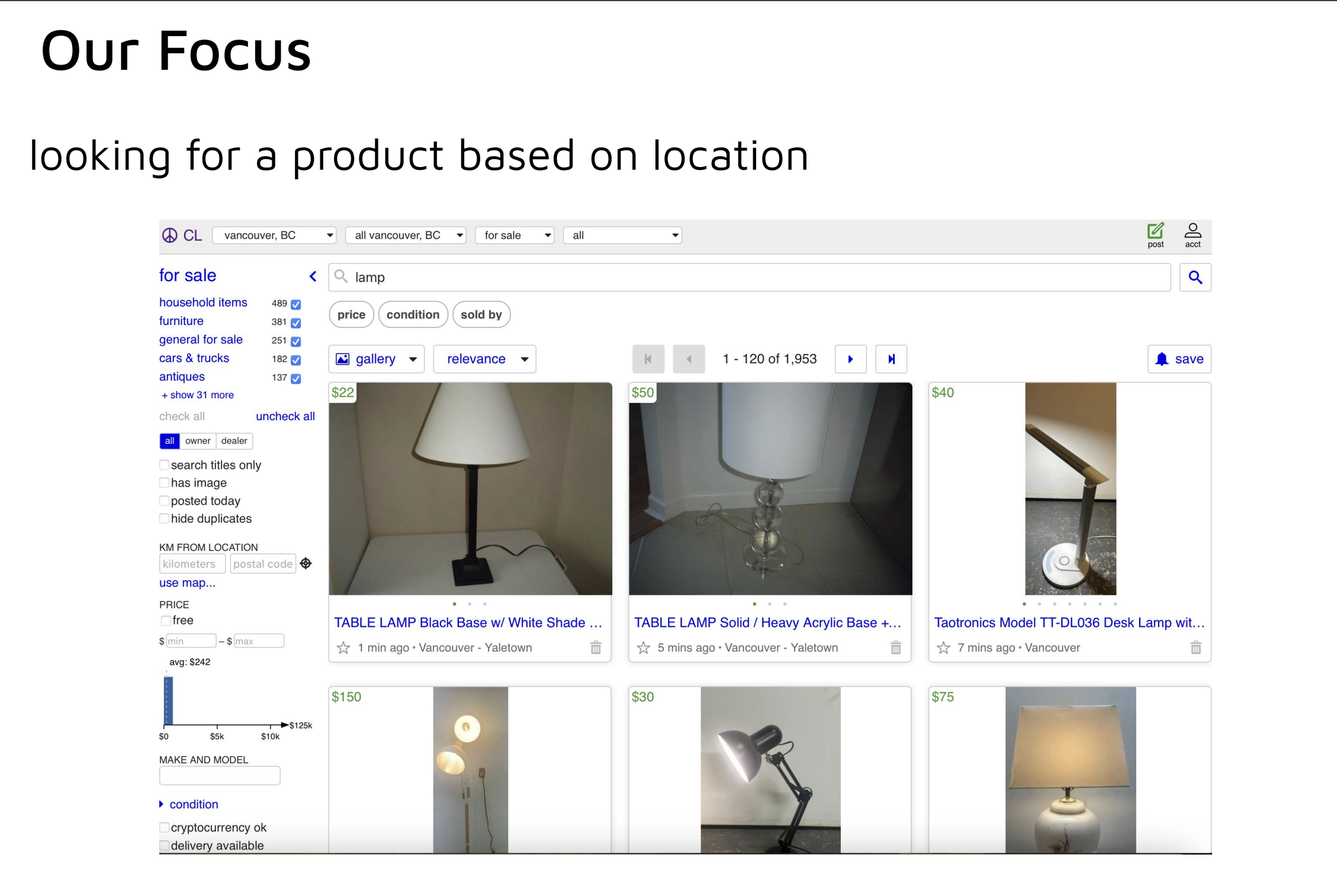
Our focus
We focused specifically on users looking for a product based on location.
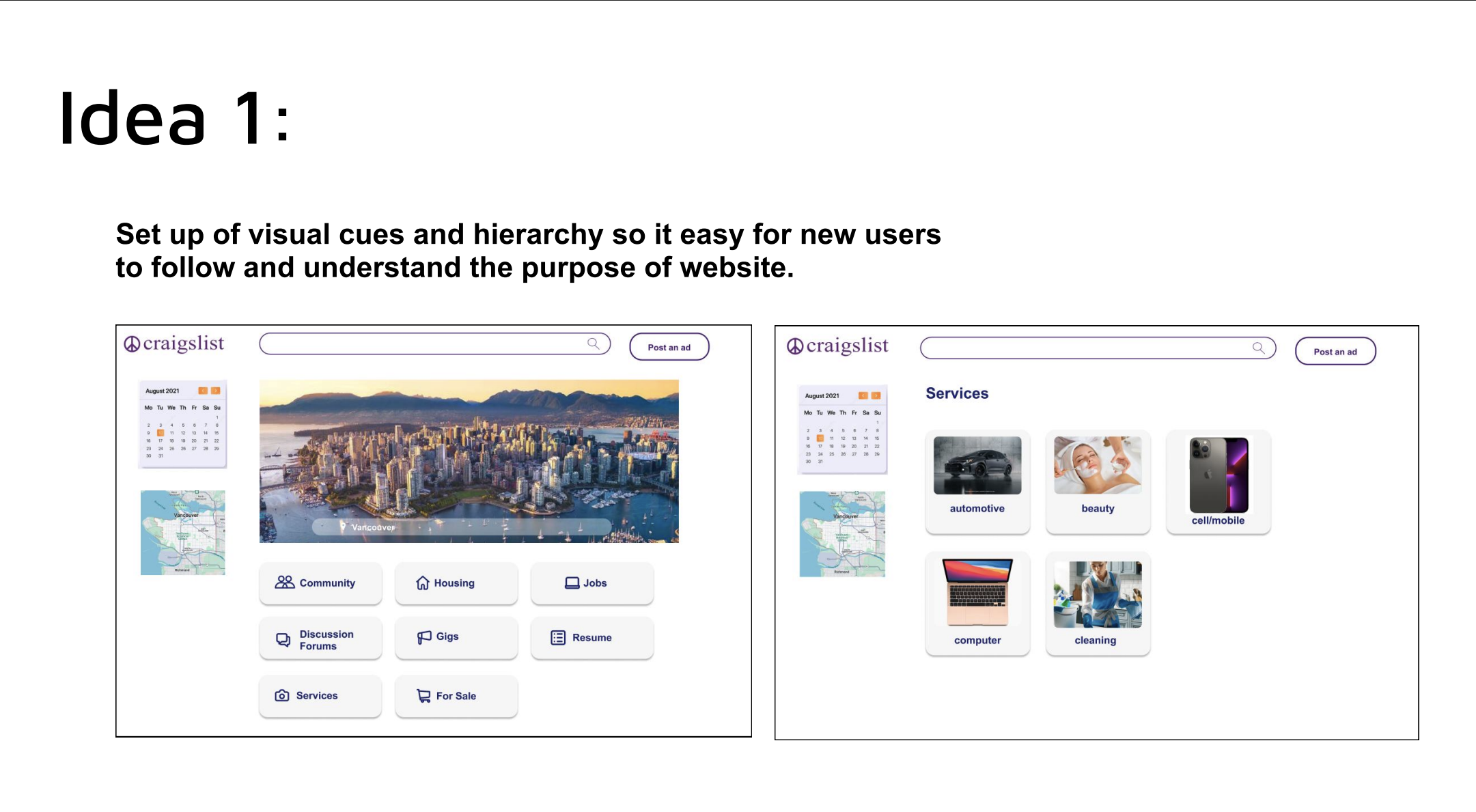
Idea 1
Introduce stronger visual cues and hierarchy so new users can quickly understand the structure and purpose of the website.
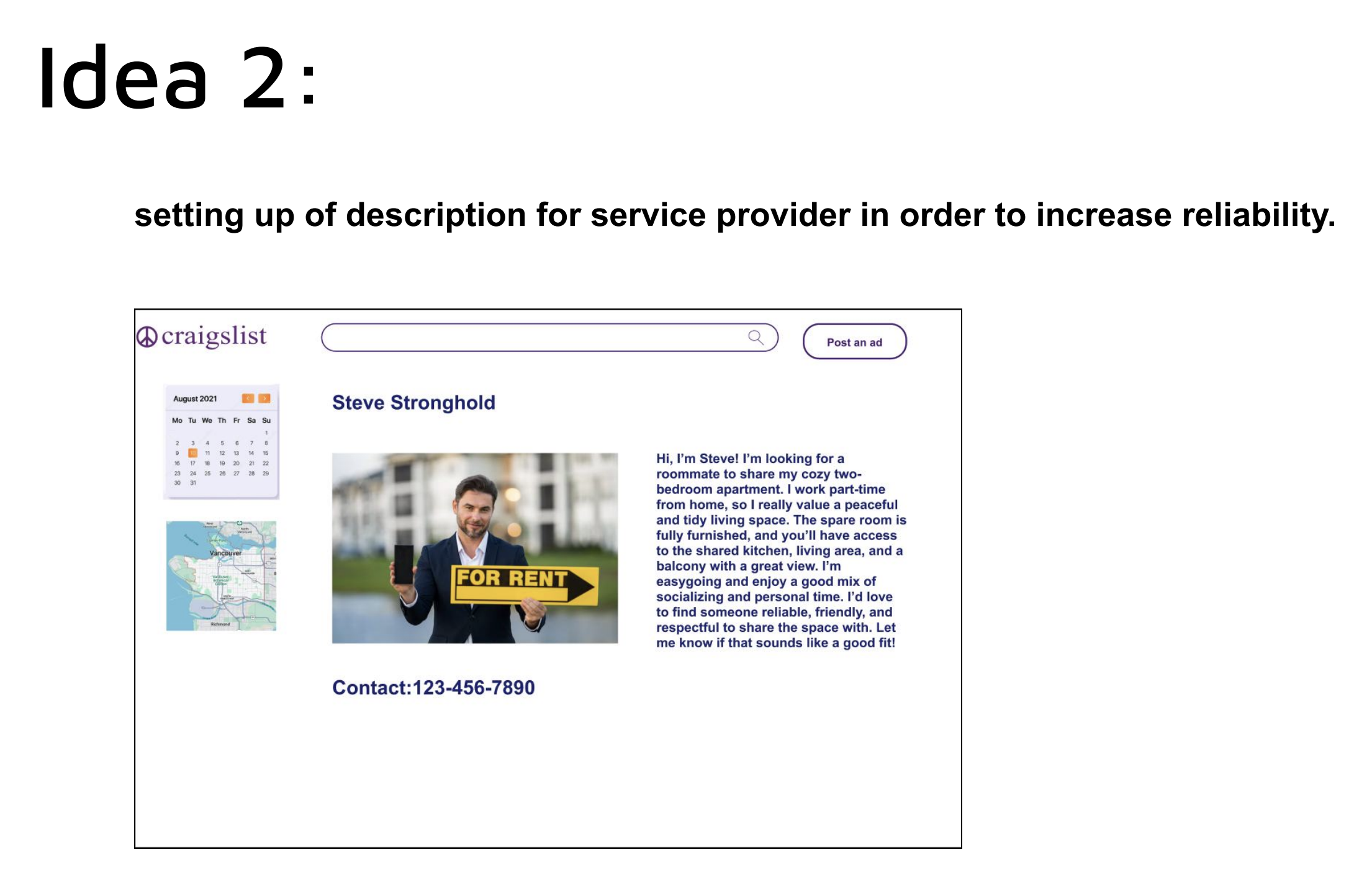
Idea 2
Add clearer descriptions for service providers to increase reliability and trust when users interact with listings.
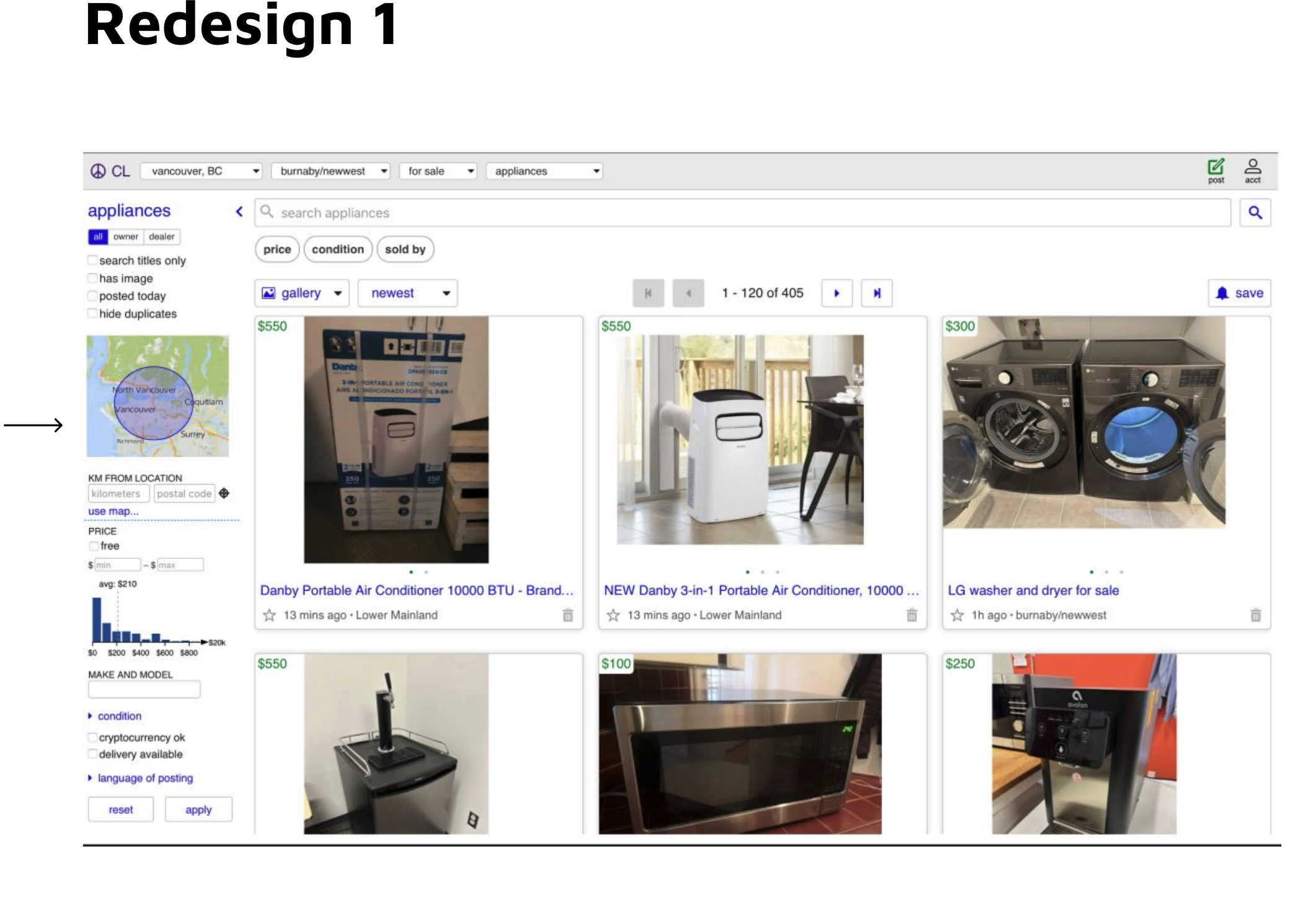
Redesign 1
The first redesign made the location tool more noticeable by strengthening layout structure and drawing more visual attention to the map-based location area inside the filter column.
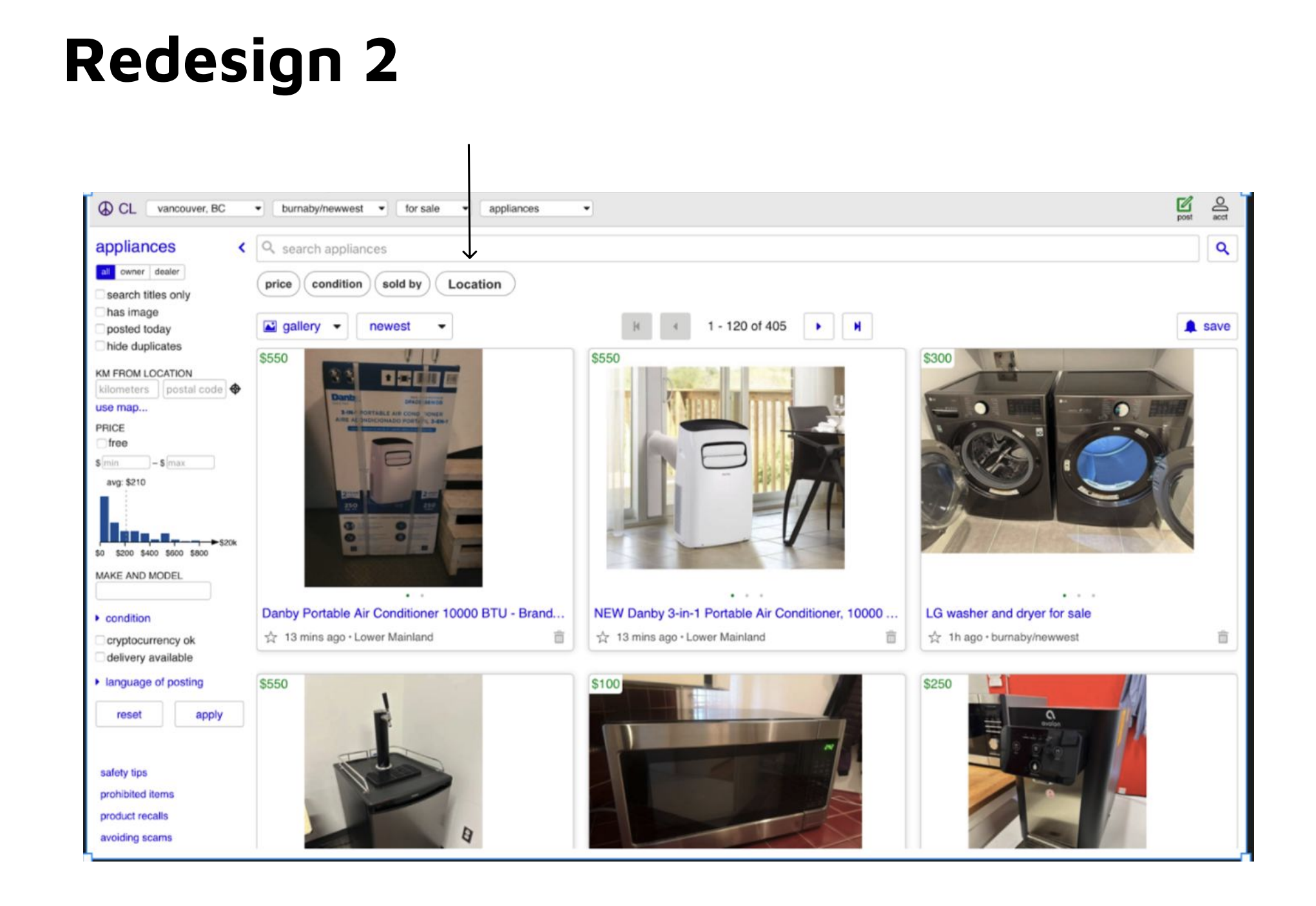
Redesign 2
The second redesign pushed the location feature even further into the main search workflow by surfacing it as a more visible top-level filter, reducing the effort needed to discover it.
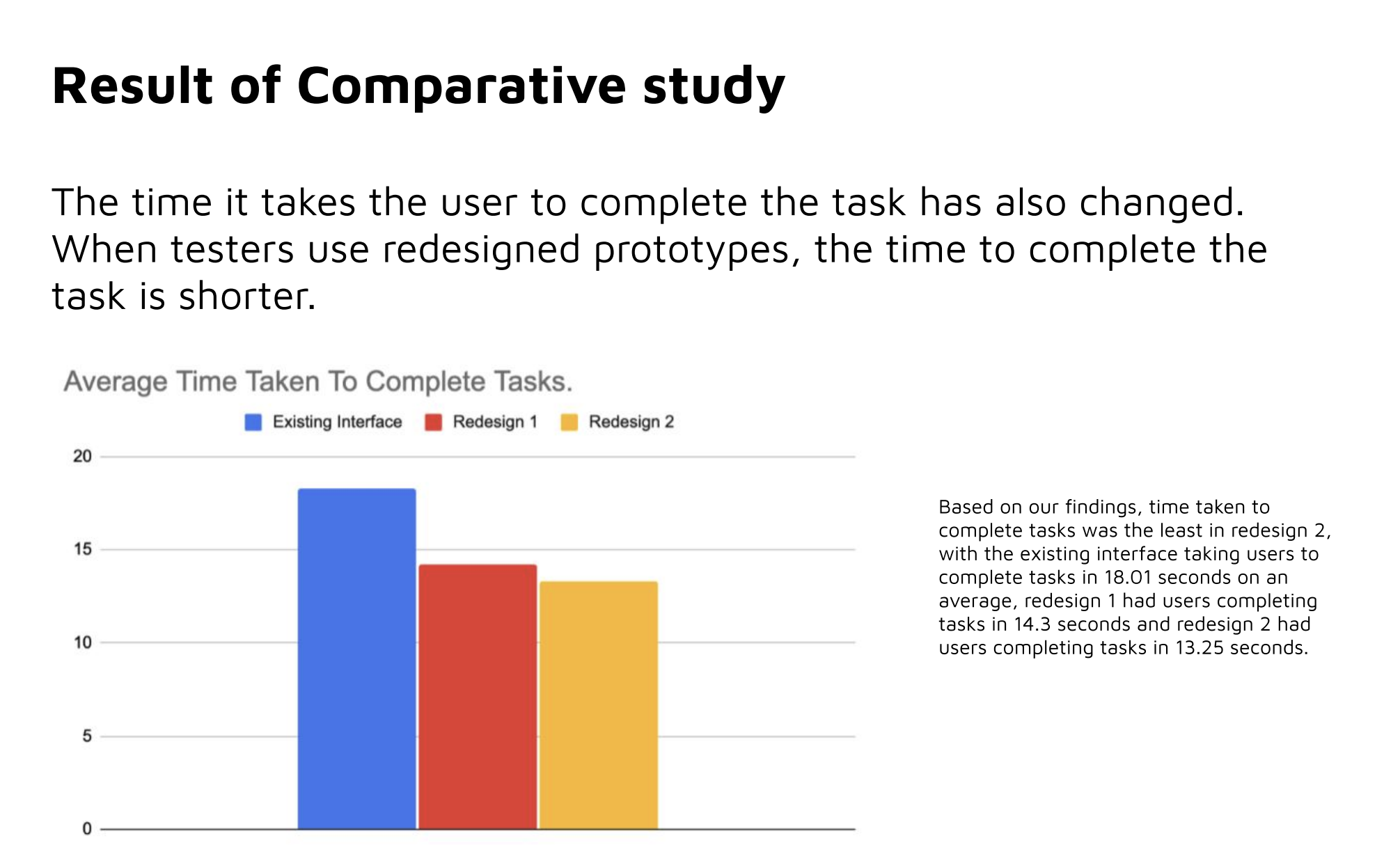
Task completion time
Users completed the task faster in both redesigned versions, with Redesign 2 performing best.
- Existing interface: 18.01 seconds
- Redesign 1: 14.3 seconds
- Redesign 2: 13.25 seconds
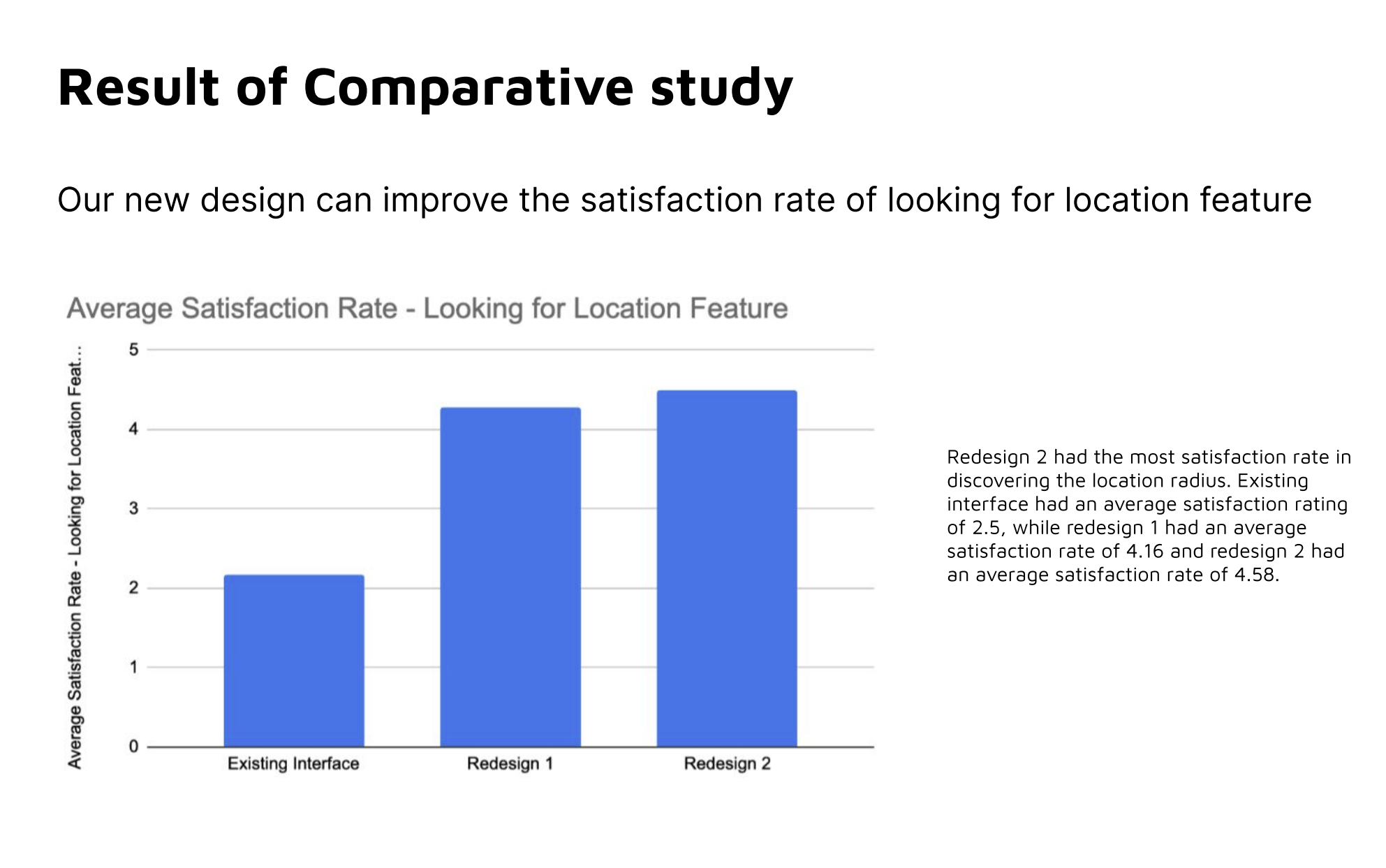
Finding the location feature
Satisfaction improved significantly when users tried the redesigned versions.
- Existing interface: 2.5 / 5
- Redesign 1: 4.16 / 5
- Redesign 2: 4.58 / 5
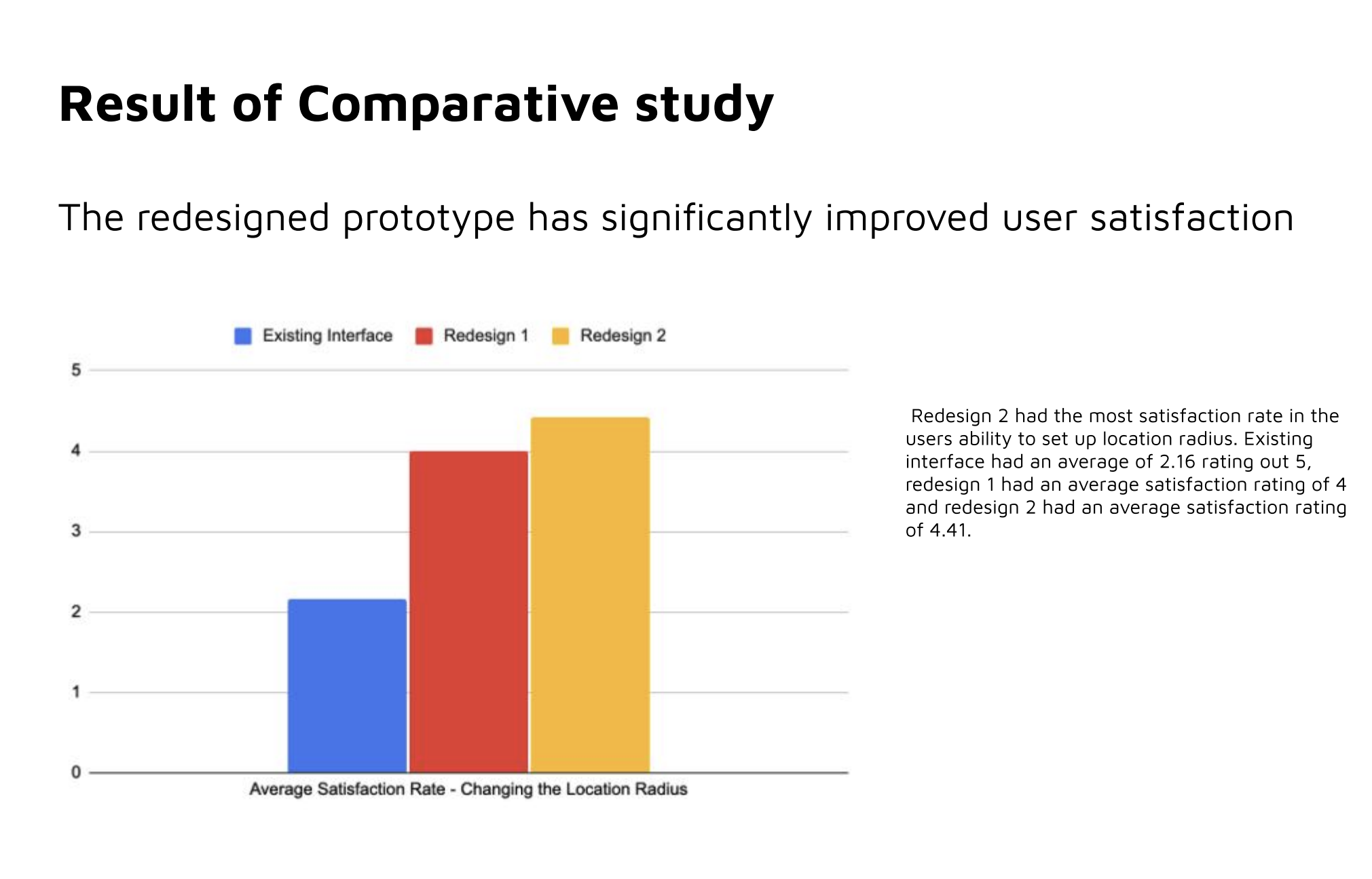
Changing the location radius
Redesign 2 also scored highest when users changed the location radius.
- Existing interface: 2.16 / 5
- Redesign 1: 4 / 5
- Redesign 2: 4.41 / 5
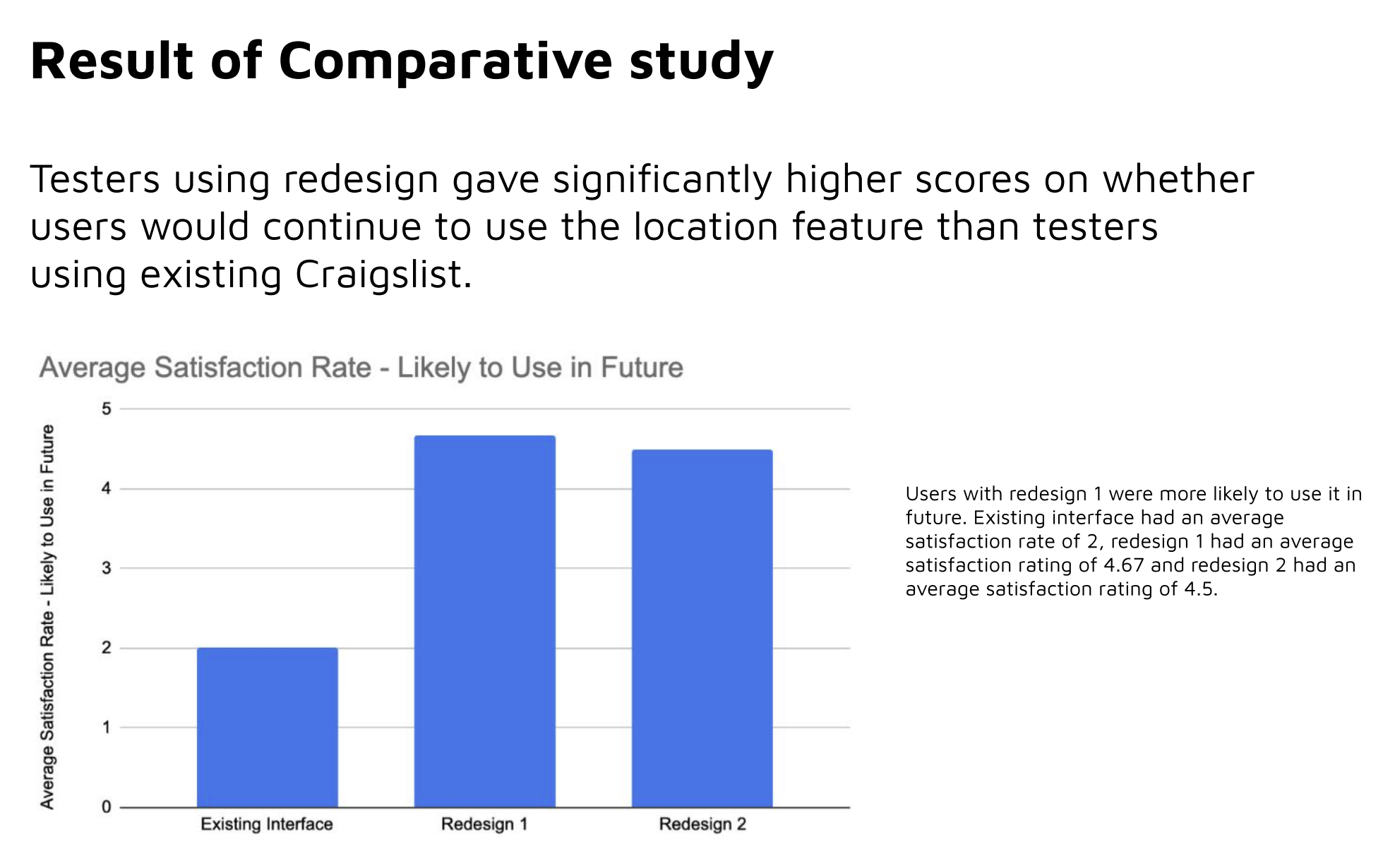
Likelihood of future use
Both redesigned versions greatly improved users’ willingness to use the location feature again in future.
- Existing interface: 2 / 5
- Redesign 1: 4.67 / 5
- Redesign 2: 4.5 / 5
P-test
The comparative study supported the design changes with statistical evidence across task time and satisfaction metrics.
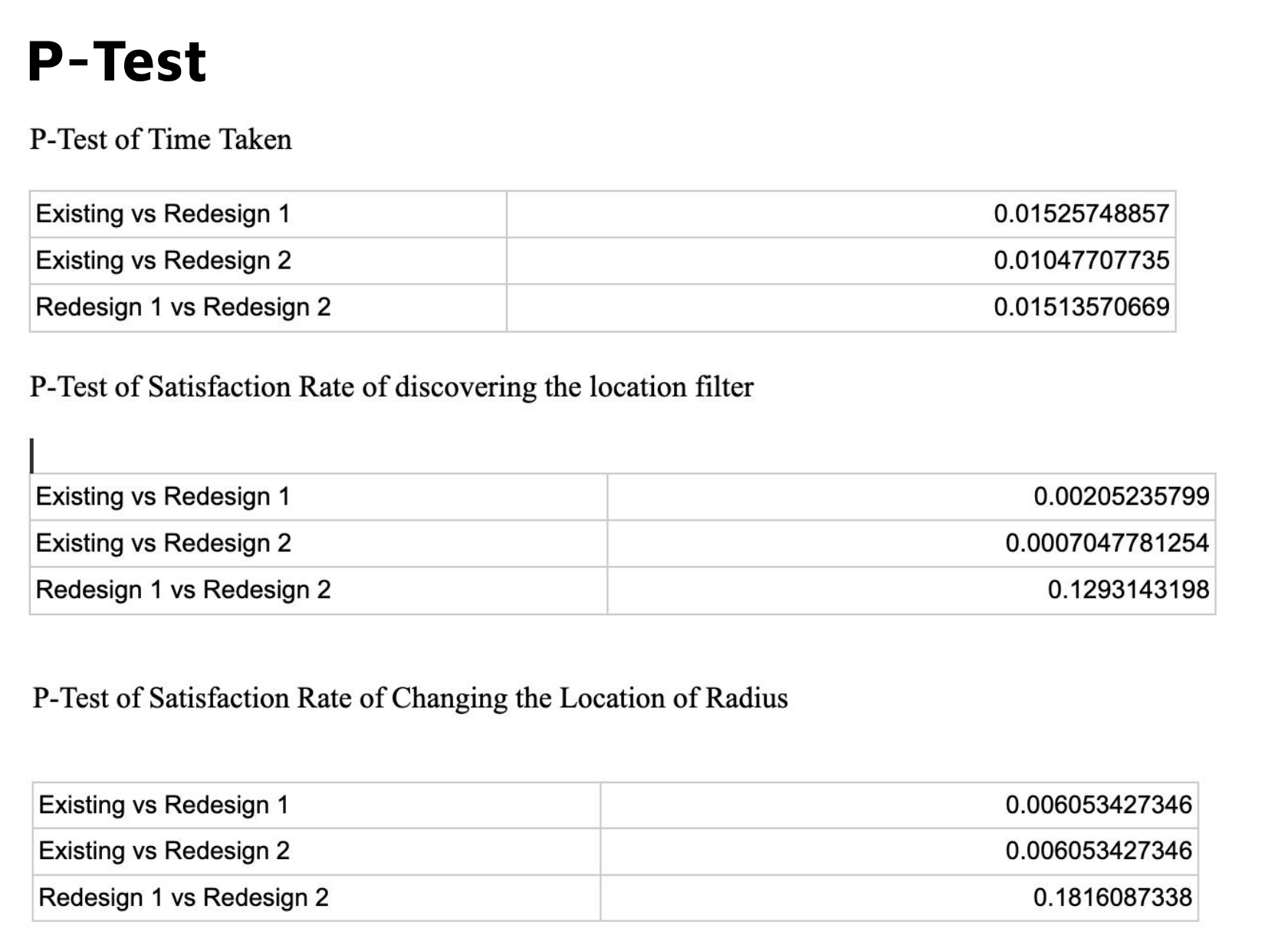
This study helped negate the null hypothesis and showed that the redesigned location experience improved both user satisfaction and task efficiency. Users were able to discover and use location-based tools in a way that felt faster, clearer, and more intuitive.